How to get Fantastic+ on the Scorecard, week by week.
Four steps behind a Fantastic+ Scorecard: coaching on every mistake the moment it lands, coaching that actually gets finished, the work going to your best drivers, and a weekly fix for the weakest category.
By Daniel Yadav · Published 13 September 2026
Why DSPs fall short of Fantastic+
Fantastic+ is decided by what every driver does on every route. Most DSPs fall short for the same five reasons:
- Weak drivers still get shifts and drag the score down.
- Mistakes go uncoached, so they happen again.
- Drivers hear about a mistake a week later, if at all.
- Coaching gets sent, but never finished.
- One weak category holds the whole score down.
What good looks like
- Every standard that takes points off has a coaching module, with auto coach on.
- Coaching reaches the driver the moment the event is imported or logged.
- No coaching goes overdue without a reminder or a call first.
- The best-ranked drivers fill next week's shifts first, and drivers with overdue coaching are not scheduled.
- The category losing the most points gets worked on every week.
The procedure
Four steps: one to set up, one every day and two every week. They depend on events coming in every day, so run the SOP Performance tracking alongside this one.
-
1
Pair every standard with a module, and turn on auto coach
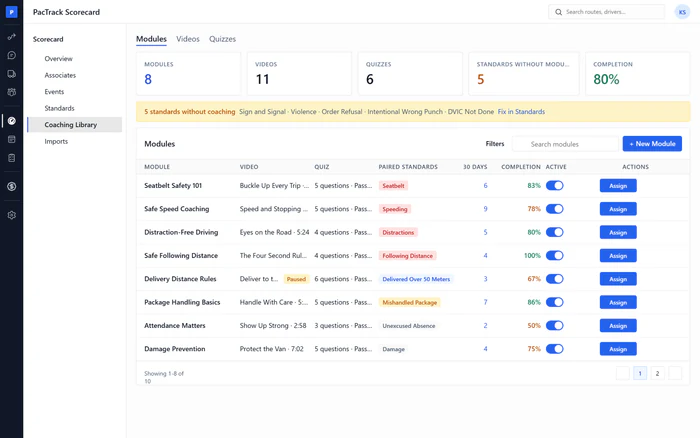
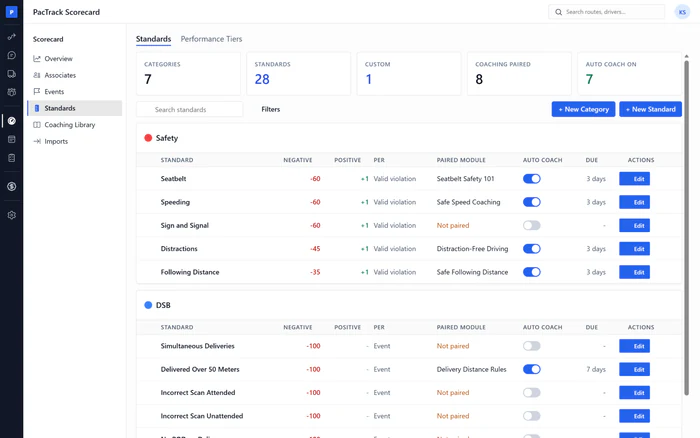
OnceWhere Scorecard · StandardsWho Owner or ManagerOpen Standards and find every rule marked Not paired. Pair each one with a coaching module, set the days to finish it and turn on auto coach. From then on, every new mistake on that standard assigns its coaching by itself.
Done when: No standard that takes points off shows Not paired, and auto coach is on for each of them.
-
2
Chase coaching before it goes overdue
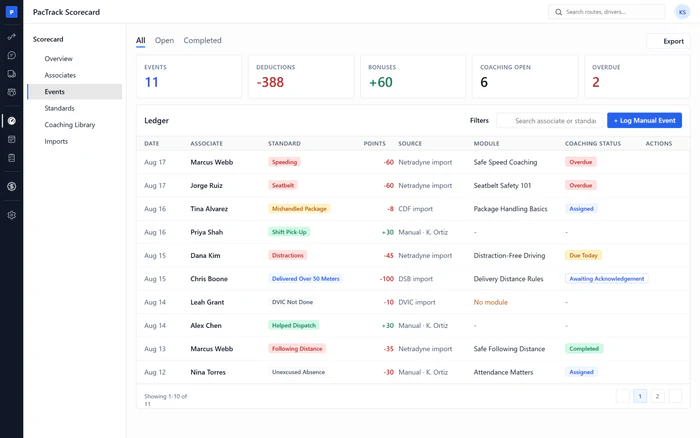
DailyWhere Scorecard · EventsWho Manager or DispatcherOpen the Events chase list every day. Remind or call every driver with coaching due today or awaiting acknowledgment, before it turns overdue. Overdue coaching keeps a driver off the schedule until they finish it, so a reminder today saves a shift tomorrow.
Done when: Nothing on the chase list went overdue without a reminder or a call first.
-
3
Give next week's shifts to your best-ranked drivers first
WeeklyWhere Scheduling · Auto ScheduleWho Manager or DispatcherBuild next week with Auto Schedule ranked by Scorecard net score. The best-ranked drivers fill the shifts first, and drivers with overdue coaching are skipped. The work goes to the drivers who protect your score, and drivers who need coaching finish it before they drive again.
Done when: The run is complete, the top of the assignment log is your best-ranked drivers, and the draft is on Schedule.
-
4
Work on the category losing the most points
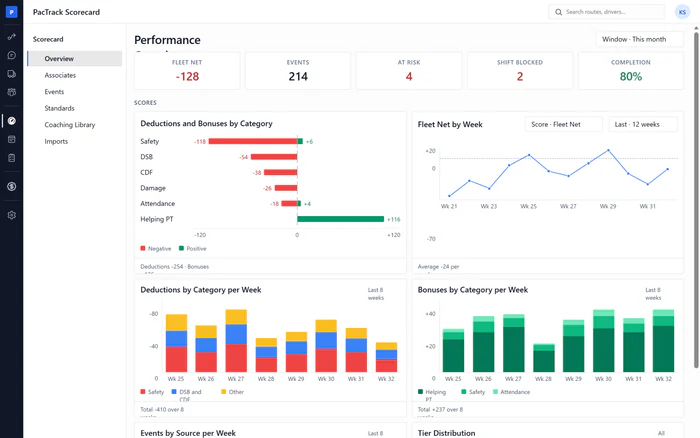
WeeklyWhere Scorecard · OverviewWho Owner or ManagerSet the Overview to last week and read Deductions and Bonuses by Category. The top row is the category losing the most points. Open it, find the standards and drivers behind it, and make sure each one is paired and coached. Then watch the weekly chart for the bar to shrink.
Done when: The category losing the most points has a plan, and its bar is shorter than the week before.
The three numbers to watch
Common mistakes
- Pairing a module but leaving auto coach off.
- Letting coaching go overdue, then extending every due date.
- Scheduling by seniority or availability alone.
- Working on every category at once.
- Marking coaching complete just to unblock a driver for a shift.
- Expecting coaching to fix every loss.