How to increase Amazon DSP profitability, week by week.
Eight steps that turn profit from a number you learn after payroll into one you check every day. Written for the owner, the dispatcher, the manager and finance, with the Ultimate DSP page each step runs on.
By Daniel Yadav · Published 13 September 2026
Why profit is found too late
Most DSPs learn their profit once, weeks after the fact, from a spreadsheet built after payroll runs. By then the losing week is over. The money leaks in six places:
- Profit is only worked out after payroll, so a losing day is found weeks later.
- More drivers clock in than there are routes, and every extra person is paid to wait.
- Rescues go out before anyone knows why the route is behind.
- Drivers finish late, and the late hours turn into overtime.
- Drivers on the road cannot see their own pace, so they fall behind without knowing.
- Vehicle costs are mixed in with everything else, so the van losing money stays on the road.
What good looks like
- Yesterday's profit is on screen every morning, not after payroll.
- Every route has exactly one driver, and nobody is punched in without a route.
- Every driver on the road gets a status text, and behind drivers get a call before a rescue goes out.
- Every late finish is on record against your own standard.
- Extra clock-ins and overtime are checked every day, while the week can still change.
- Every van has a monthly net, and every losing van has a decision against it.
The procedure
Eight steps: three during the day, three in the office every day, one weekly and one monthly. Each step names who does it, how often and the page it runs on. The check at the end tells you it is done.
-
1
Match drivers to routes, with no extra people on the clock
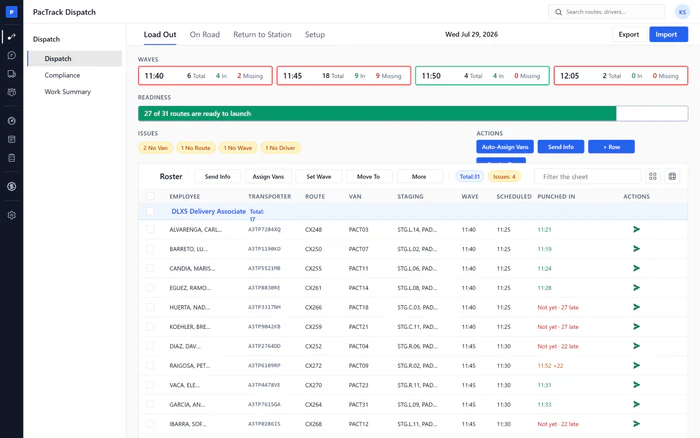
Every morningWhere Dispatch · Load OutWho DispatcherImport the Amazon routes file, give every route one driver and one van, and cover callouts from Standby or On call. Anyone punched in without a route shows as a warning above the bench, so you place them or let them go before they are paid to wait.
Done when: The readiness bar shows every route ready to launch, no Issues chips are left, and no punched-in driver is without a route.
-
2
Send status to every driver on the road
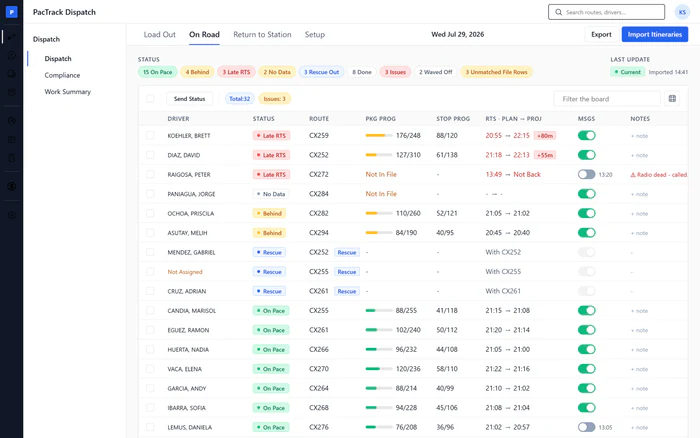
Mid-shiftWhere Dispatch · On RoadWho DispatcherImport the itineraries file, then send a status text to every driver on the road. Drivers on pace get their stops done and projected return time. Drivers behind get a check-in asking if they need help, so they know where they stand before they fall further behind.
Done when: The toast confirms the status texts went out, and every row's send icon is green with the time it was sent.
-
3
Send a rescue only after the Behind check-in
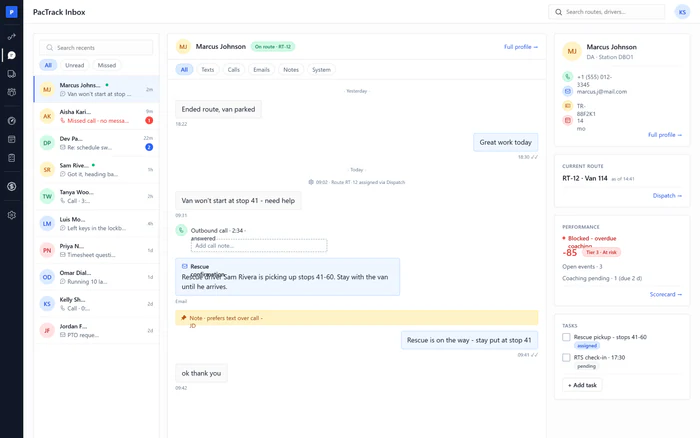
As neededWhere Dispatch · On RoadWho DispatcherWhen a route falls behind, filter the board to Behind, send the check-in and call the driver. Work the problem first: last stop, stop order, access. Only when the route still cannot finish, send a rescue from the row and text both drivers where to meet.
Done when: The rescue row is on the board, the route's Rescue button is green, and both drivers got the meet-up text.
-
4
Record the drivers who finished late
DailyWhere Scorecard · Standards and EventsWho Manager or DispatcherSet up a late-finish standard once, with its points and a coaching module. Then log every late finish as an event on the driver who ran late. The points count against their score, and the coaching goes to their phone.
Done when: Each driver who ran late has a new event with points, and coaching shows as Assigned where a module is paired.
-
5
Check the day's profit
DailyWhere Financial Management · Profit ProjectionWho Owner, Manager or FinanceOpen yesterday in Profit Projection, import the day's payroll file if it is not in yet, and read revenue, cost, profit and margin. When the day is final, lock it. A losing day is caught the next morning, not weeks later.
Done when: Yesterday reads Actual or Locked, and you can say its profit and margin without opening a spreadsheet.
-
6
Bring people over and overtime share down
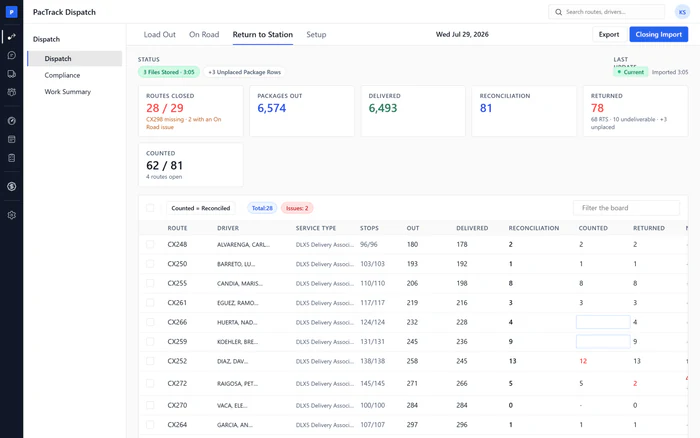
DailyWhere Financial Management · Profit ProjectionWho Owner or ManagerRead the operations bar under the money cards: over workforce, overtime, hours per route, clock-ins and routes. Sort the day table by Over and open the worst day. Then fix the cause where it lives: the bench on Load Out, the hours cap in Auto Schedule or late finishes in Events.
Done when: No day is red in the Over column, and overtime share is lower than the week before.
-
7
Put your best-ranked drivers on next week's schedule
WeeklyWhere Scheduling · Auto ScheduleWho Manager or DispatcherSet how many drivers you need each day, keep the hours cap on and run Auto Schedule. It fills the week with the highest-ranked available drivers first, by Scorecard score, and skips anyone with overdue coaching. The work goes to the drivers who finish on time.
Done when: The run shows the week filled, the draft is sent to Schedule, and every skipped driver has a reason.
-
8
Act on the vans losing money
MonthlyWhere Fleet · Fleet FinancialsWho Owner or ManagerClose the month by importing the insurance, lease and Amazon payment statements. Then read Vans Losing Money: each van's net is Amazon's money in, minus lease, insurance and repairs you paid. Decide for every losing van: fix the downtime, change how it is dispatched, or take it off the fleet.
Done when: Every losing van has a decision against it, and no van shows an incomplete warning.
The three numbers to watch
Common mistakes
- Reading profit weekly instead of daily.
- Leaving days unlocked.
- Sending a rescue before the check-in.
- Calling in more backups than the day needs.
- Logging late finishes you caused.
- Ignoring the losing-vans list because the fleet total looks fine.